
How to do Power key firmware upgrade on M1MINIPLUS

Step 1: Turn off the projector

Step 2: Press and hold the Reset keyhole (There is a switch inside the hole).
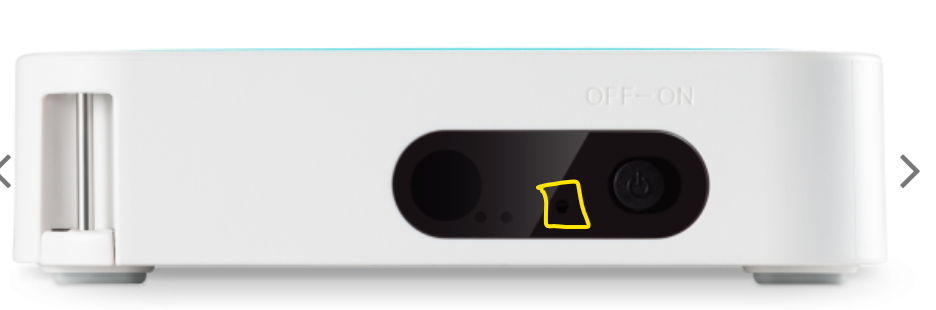
A picture containing text, electronics, projector

Description automatically generated

Step 3: Insert USB (FAT32) with firmware file in the root directory.

Step 4: Turn on the projector using the key on the projector by flipping the key to right.
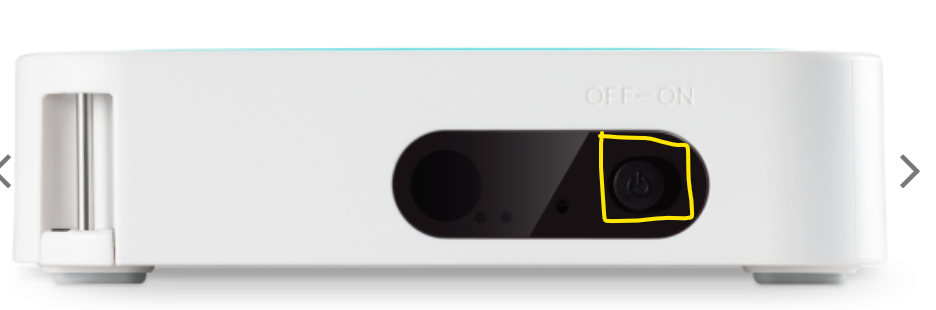
A picture containing text, electronics, projector

Description automatically generated

Step 5: Do not let go of the reset key until you see the upgrade process screen.

 

Graphical user interface, text, application

Description automatically generated

Last modified: 2022 Jul

Contact Us

Contact Us directly if you’re unable to get the answers and solutions for your ViewSonic products.
